> ## Documentation Index
> Fetch the complete documentation index at: https://docs.gurubase.ai/llms.txt
> Use this file to discover all available pages before exploring further.
# Authentication
> Learn how to authenticate your Gurubase API requests
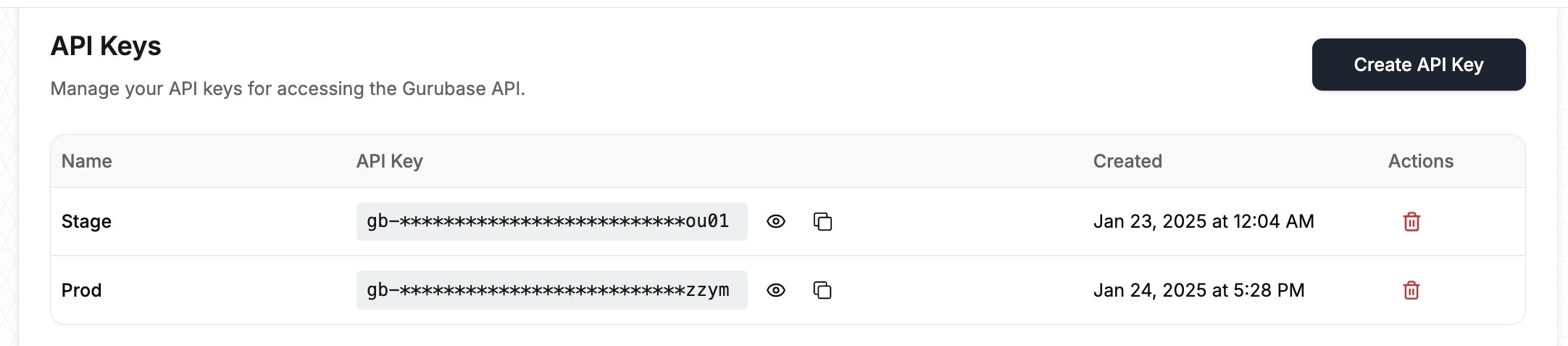 All API endpoints require authentication using an API key. You can obtain your API key from [Gurubase Cloud](https://app.gurubase.io/api-keys) or Gurubase Self-Hosted (Enterprise plan only - contact us at [contact@gurubase.io](mailto:contact@gurubase.io) for access).
## API Key Authentication
Include your API key in the `x-api-key` header with all requests:
```bash theme={null}
curl --location 'https://api.gurubase.io/api/v1//answer' \
--header 'x-api-key: YOUR_API_KEY' \
--header 'Content-Type: application/json' \
--data '{
"question": "What is Gurubase?"
}'
```
Keep your API key secure and never share it publicly. If you believe your API key has been compromised, you can delete it and generate a new one from the dashboard.
All API endpoints require authentication using an API key. You can obtain your API key from [Gurubase Cloud](https://app.gurubase.io/api-keys) or Gurubase Self-Hosted (Enterprise plan only - contact us at [contact@gurubase.io](mailto:contact@gurubase.io) for access).
## API Key Authentication
Include your API key in the `x-api-key` header with all requests:
```bash theme={null}
curl --location 'https://api.gurubase.io/api/v1//answer' \
--header 'x-api-key: YOUR_API_KEY' \
--header 'Content-Type: application/json' \
--data '{
"question": "What is Gurubase?"
}'
```
Keep your API key secure and never share it publicly. If you believe your API key has been compromised, you can delete it and generate a new one from the dashboard.