

API Key Authentication
Include your API key in thex-api-key header with all requests:
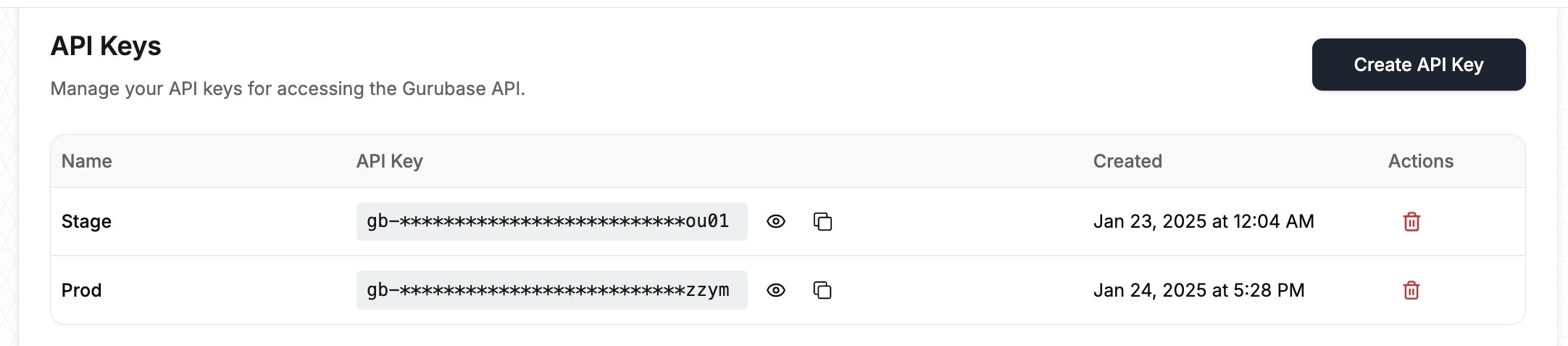
The full API key is shown only once, immediately after you create it. Copy it and store it in a secure location (such as a password manager) before dismissing the dialog. Afterwards the dashboard only shows a masked preview (prefix and last four characters), and the plaintext key cannot be retrieved. If you lose a key, delete it and generate a new one.
Keep your API key secure and never share it publicly. If you believe your API key has been compromised, delete it from the dashboard and generate a new one.
Restricted API Keys
By default, an API key can call every endpoint within its Guru scope. When creating a key, you can enable Restrict to specific endpoints and select only the endpoints that key should be able to call. Requests to any other endpoint are rejected with403.
For endpoints that serve multiple HTTP methods (such as Data Sources, which supports GET, POST, and DELETE), you can additionally limit the key to specific methods. For example, selecting only GET on Data Sources produces a key that can list data sources but cannot add or delete them. This makes it possible to create read-only keys for reporting or monitoring use cases.
Guru-Scoped API Keys
Every API key is scoped to one or more gurus you administer, selected when the key is created. Requests to a guru not included in that list are rejected with403, even if the endpoint itself is allowed. This limits the blast radius if a key ever leaks: a key scoped to a single guru cannot be used to reach any other guru on your account.
You can change which gurus a key can access at any time from the API Keys page, without generating a new key.