

Roles Overview
The End User role is controlled via the built-in End Users group. Add
a team member to the End Users group to restrict them to question-asking only.
See End Users Group below.
Gurubase Cloud
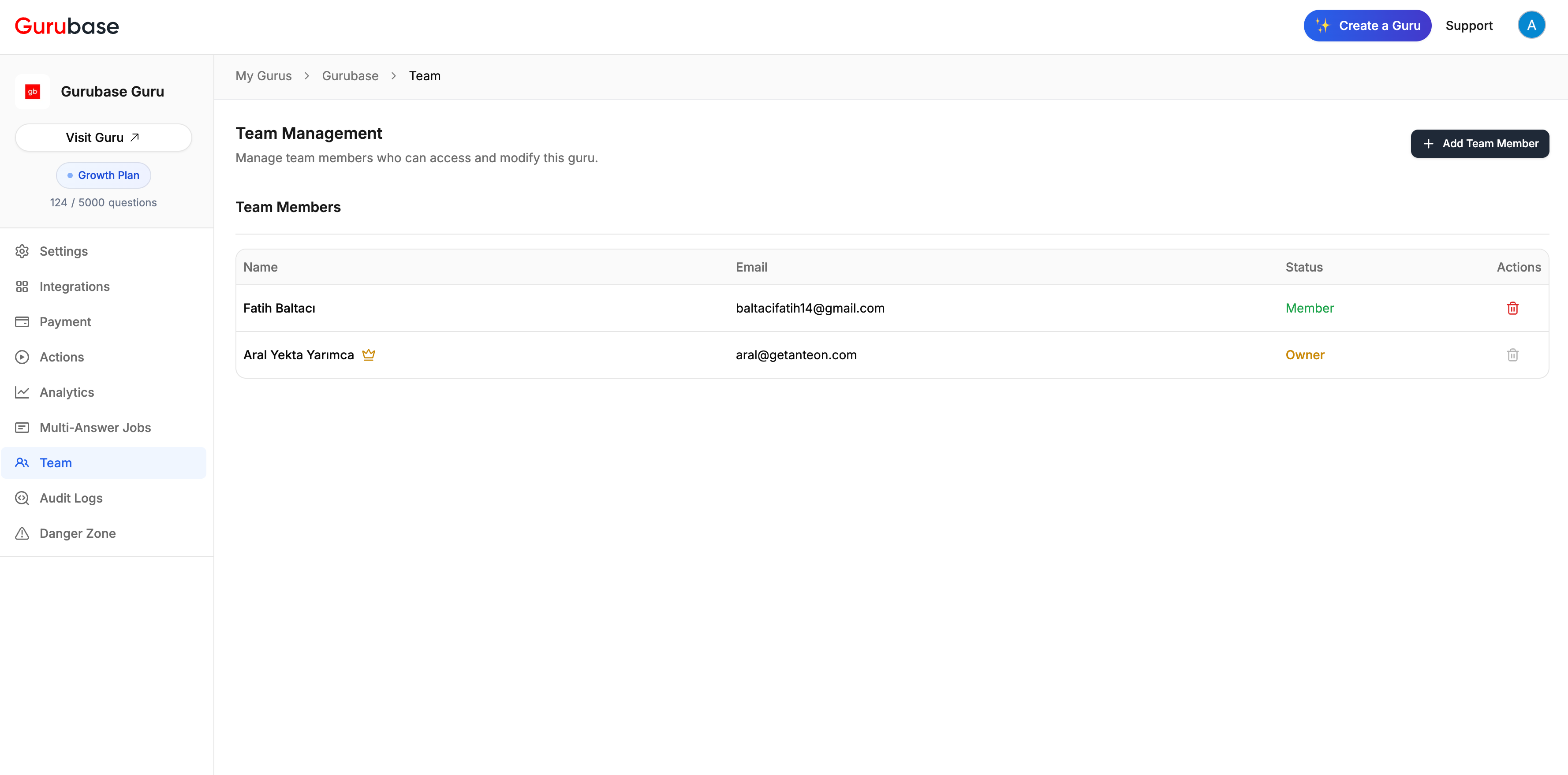
View Team Members
Add a Team Member
1
Open Team Settings
Go to your Guru’s settings and click the Team tab.
2
Add Member
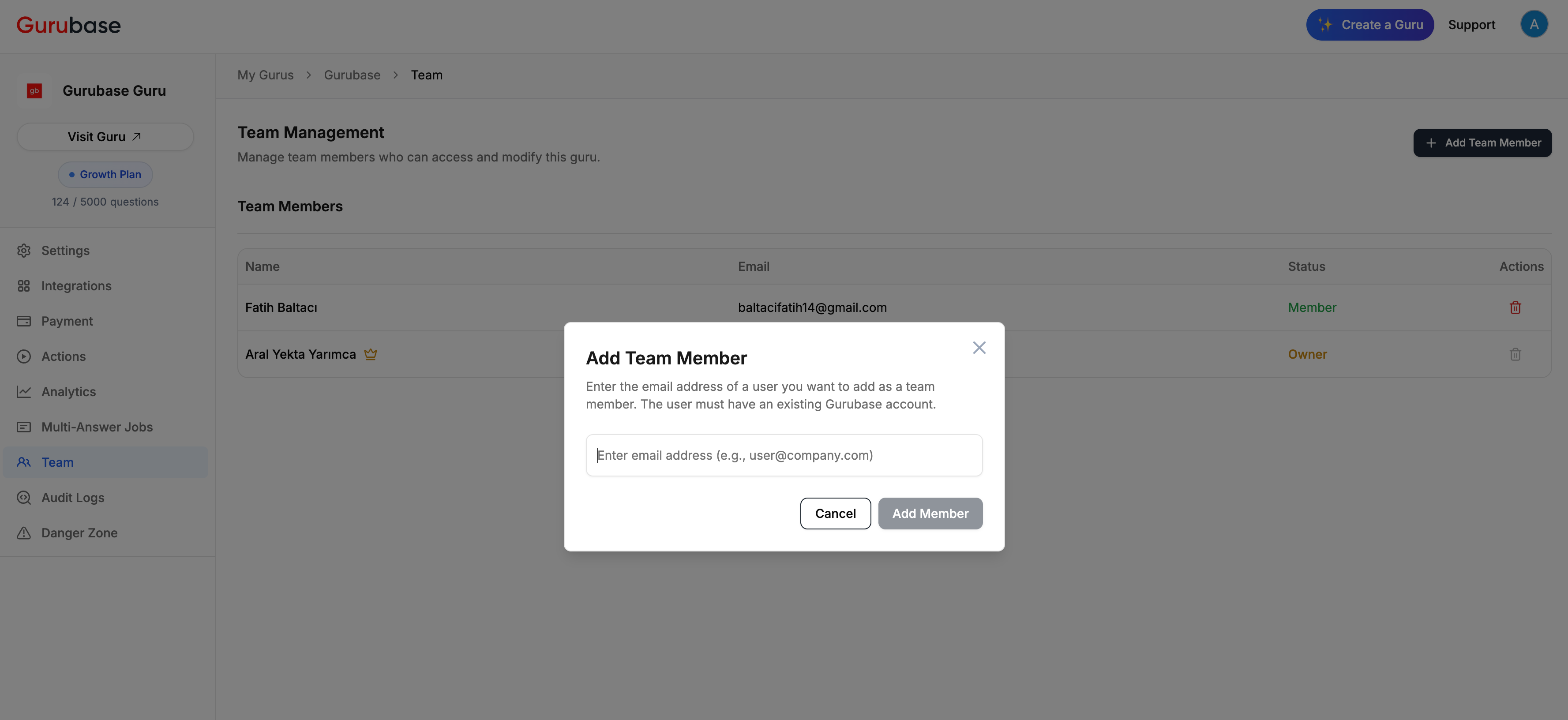
Click + Add Team Member and enter the email address.
3
Confirm
The user must already have a Gurubase account to be added.
End Users Group
Every Guru comes with a built-in End Users group. Team members added to this group can only ask questions through the chat interface. They cannot access the admin panel (Settings, Integrations, Actions, Secrets, Analytics, Team, Triage, MCP, or Multi-Answer Jobs). This is useful when you need to add users to a private Guru for Q&A access without giving them admin privileges. For example, in an enterprise scenario where employees should ask the Guru questions but not modify its configuration.1
Go to Team > Groups tab
Navigate to your Guru’s Team page and click the Groups tab. The
End Users group is listed with a Built-in badge and cannot be
renamed or deleted.
2
Add members to End Users
Click the Members tab and use the Groups column to assign users to
the End Users group.
3
Verify
Sign in as an End User member. The admin sidebar should be empty and
navigating to any admin URL (e.g.,
/guru/{slug}/settings) will redirect to
the chat page.Self-Hosted (Enterprise)
Self-hosted deployments have additional user management capabilities accessible from the Settings page.Roles
User Management
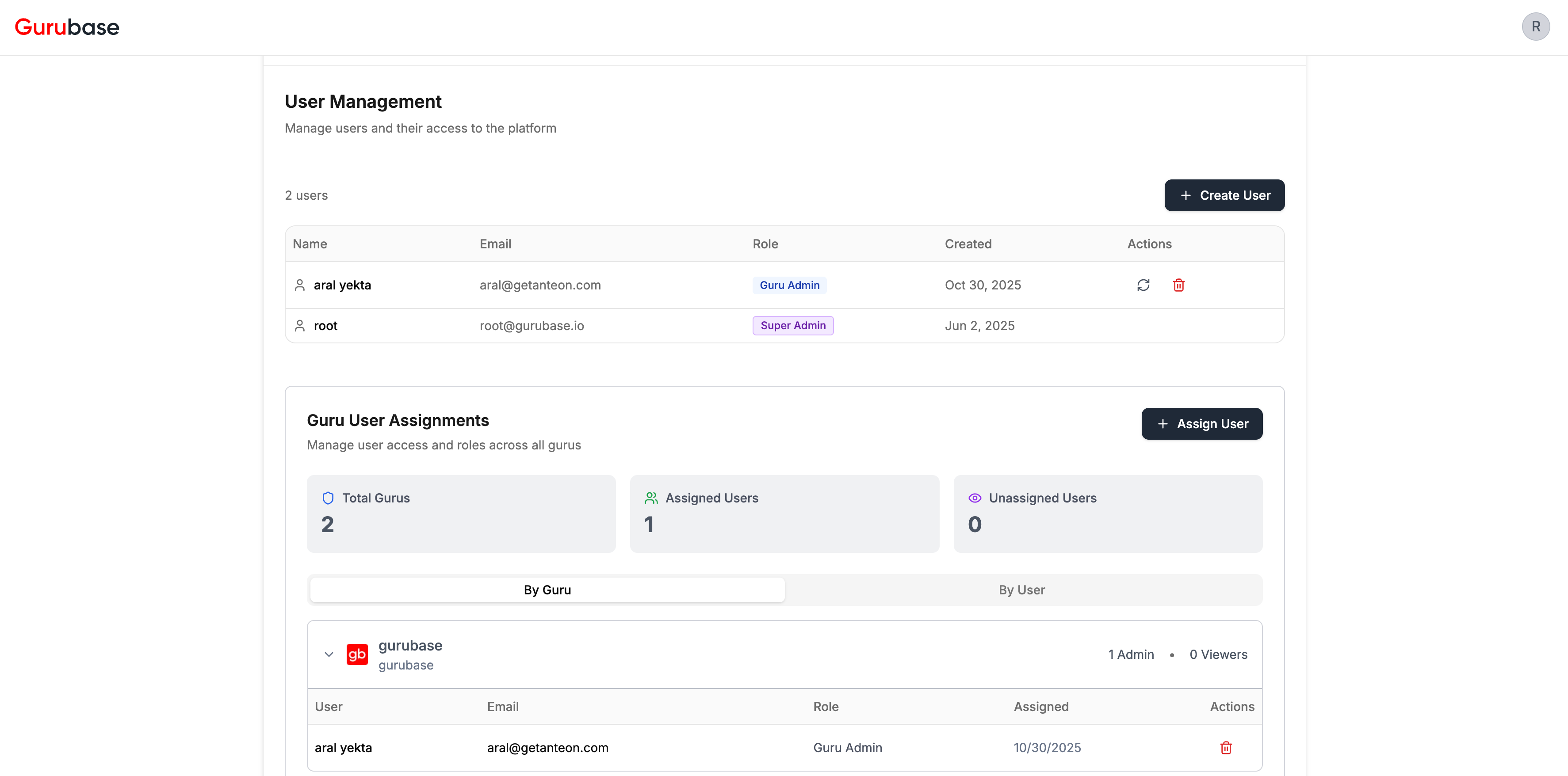
- User Management - List of all platform users with their roles
- Guru User Assignments - Manage which users have access to which Gurus
Creating a User
1
Click Create User
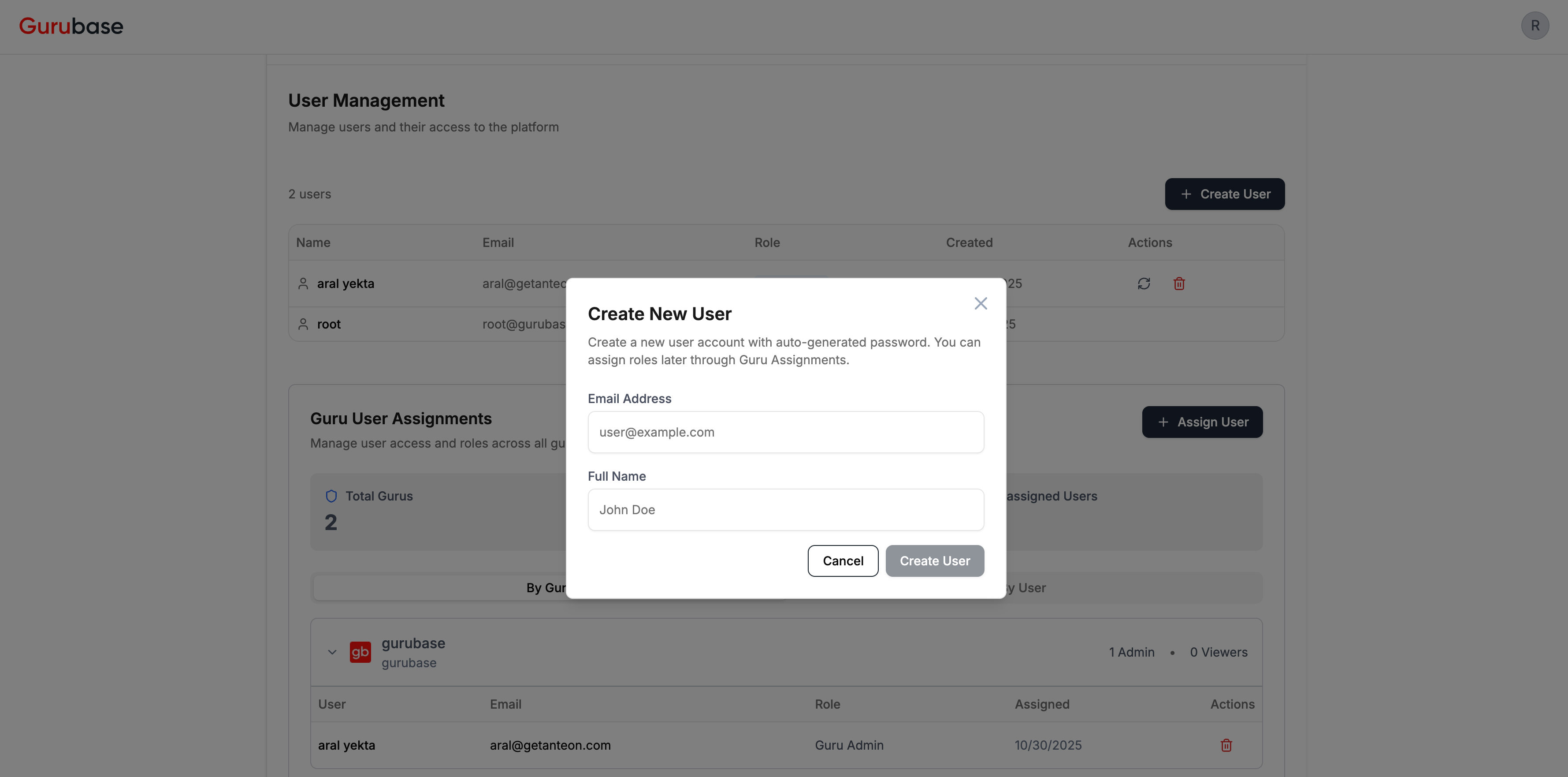
Click + Create User in the User Management section.
2
Enter Details
Enter the user’s email address and full name.
3
Password
A random password is auto-generated. The user will be prompted to set their
own password on first login.
Assigning Users to Gurus
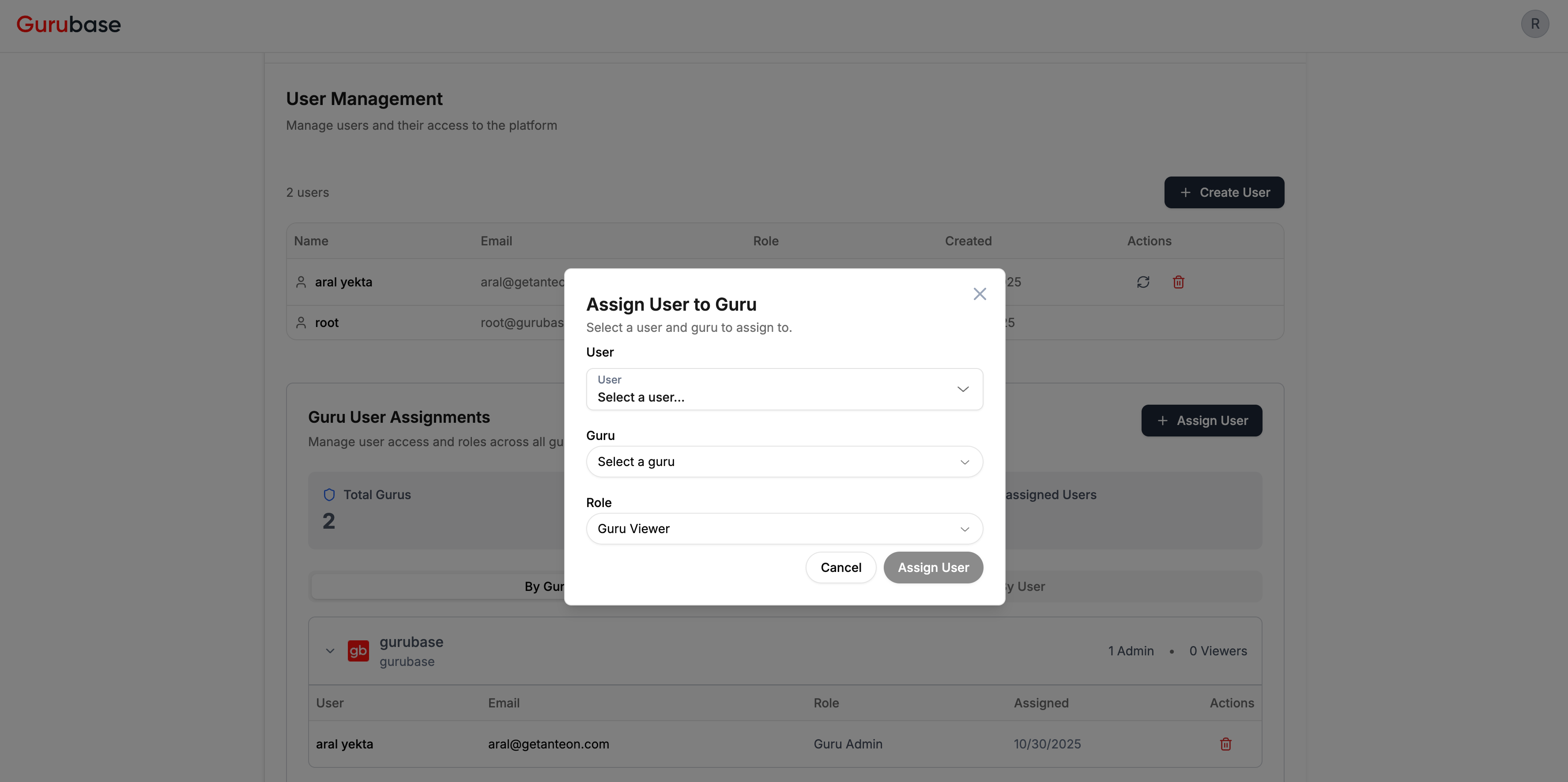
1
Click Assign User
Click + Assign User in the Guru User Assignments section.
2
Select User and Guru
Choose the user and the Guru to grant access to.
3
Choose Role
Select Guru Admin (can modify) or Guru Viewer (read-only).
User Actions
Next Steps
Audit Logs
Track user actions and API calls
Analytics
Monitor how users interact with your Guru